
OpenFall is live. Version 0.1.0-alpha, MIT licensed, free, and out in the open. Two years of late nights from the insomnia-ridden mind of yours truly, and it finally does the one thing I always wanted a text editor to do.
Your documents are not files in tabs.
They are leaves.
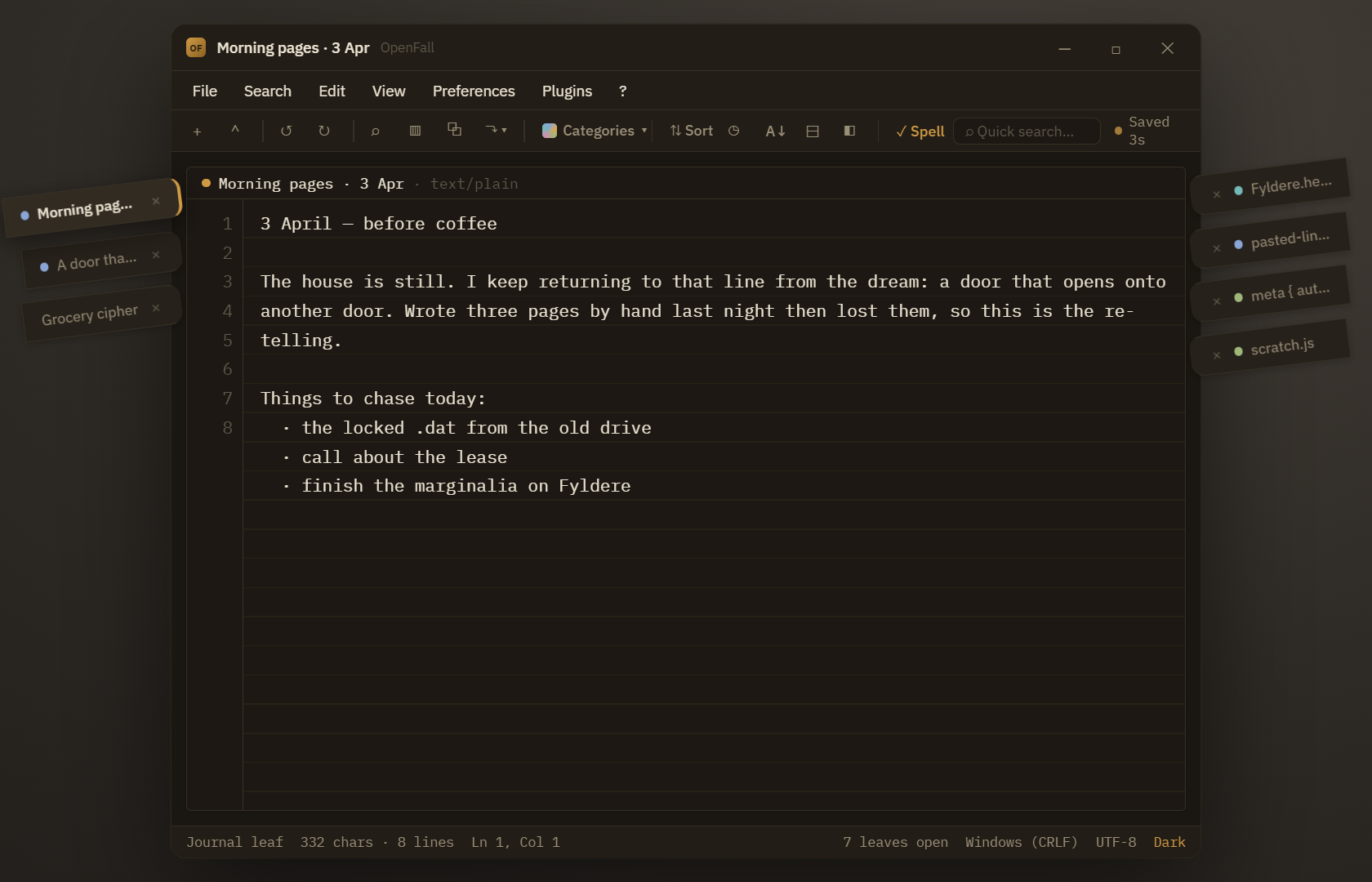
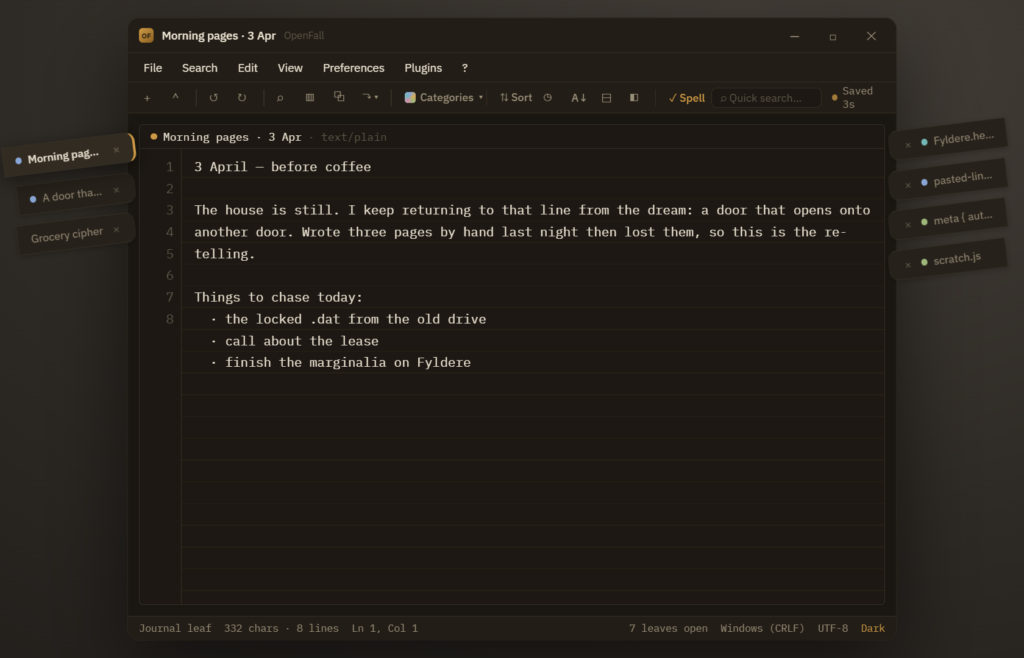
Each open document is an angled bookmark ribbon that juts out of the edge of a transparent window, like a bookmark fanning out of a book. The active one reaches a little further, with a brass accent. The software autosaves all the things, always, so nothing is lost between sessions and there is no save button to remember. (Well, there is save option, I’m not throwing all convention to the wind) The leaves name themselves from first few words you enter, so you never have to stop and christen a stray thought or, if you want to feel free to double click and do exactly that. Name away!
Now he name, “OpenFall.” That’s a highly complex and exciting story involving a bar of soap, three feet of chain, one lit match, and a goat. So try and follow. Open, as in open source. The Fall, as in the season the leaves let go. It is named for its own leaves. Holy crap, that was harrowing wasn’t it?
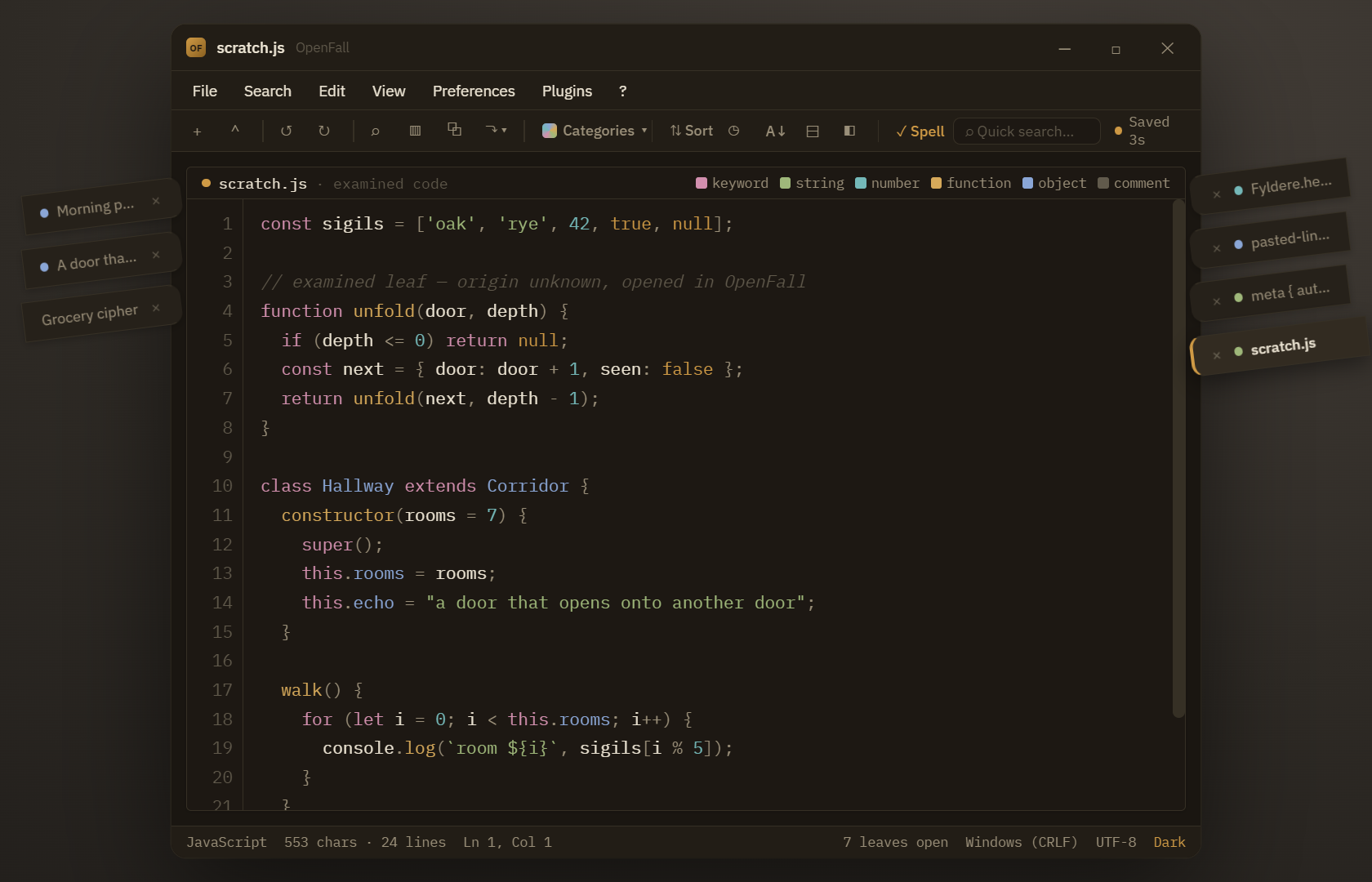
It’s more than a plain text editor though, even at the alpha stage. One of the features I’m most proud of is the examiner. Don’t worry it’s not the turn your head and cough kind of examiner. It’s the kind you feed code and it lights up with live, editable syntax highlighting, even when it is a plain note that only looks like code. In theory, it should do this automatically, but I’ll admit that feature is temperamental at best. Your better off right now tagging your leaves with the Script or Code category tags. Oh did I mention you can tag leaves?
You can tag leaves.
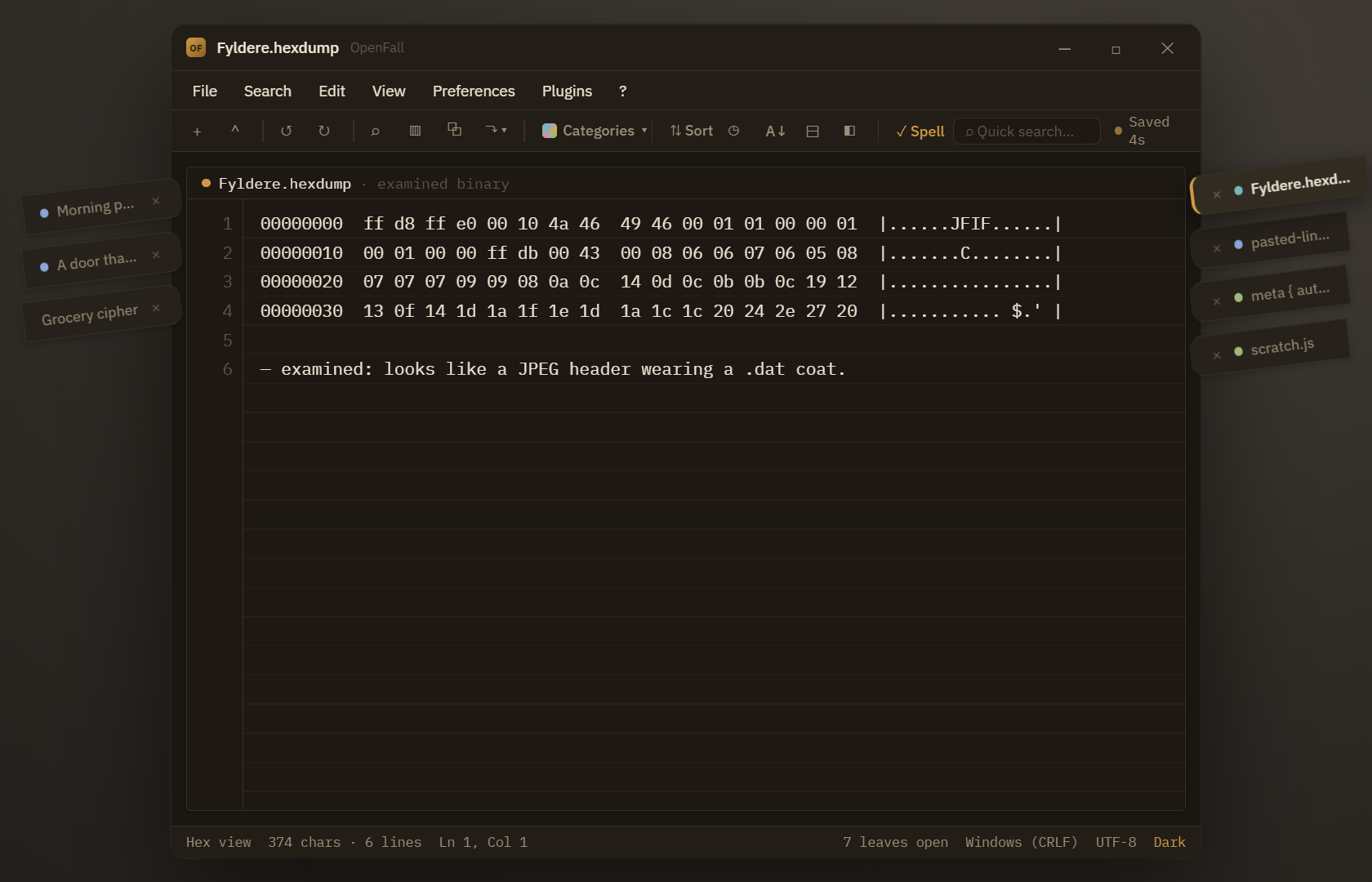
Hand it a binary wearing the wrong file extension and it flips to a hex view instead of choking on it. One surface, two braincells.
Now let’s talk about something you’re really enjoy. Especially when you’ve got between two and twenty leaves open. Search. Search can be instructed to read two ways. That’s because Notepad++ default search would occasionally angry up my blood. Thus OpenFall has a Terminal console of path, line, and column and…
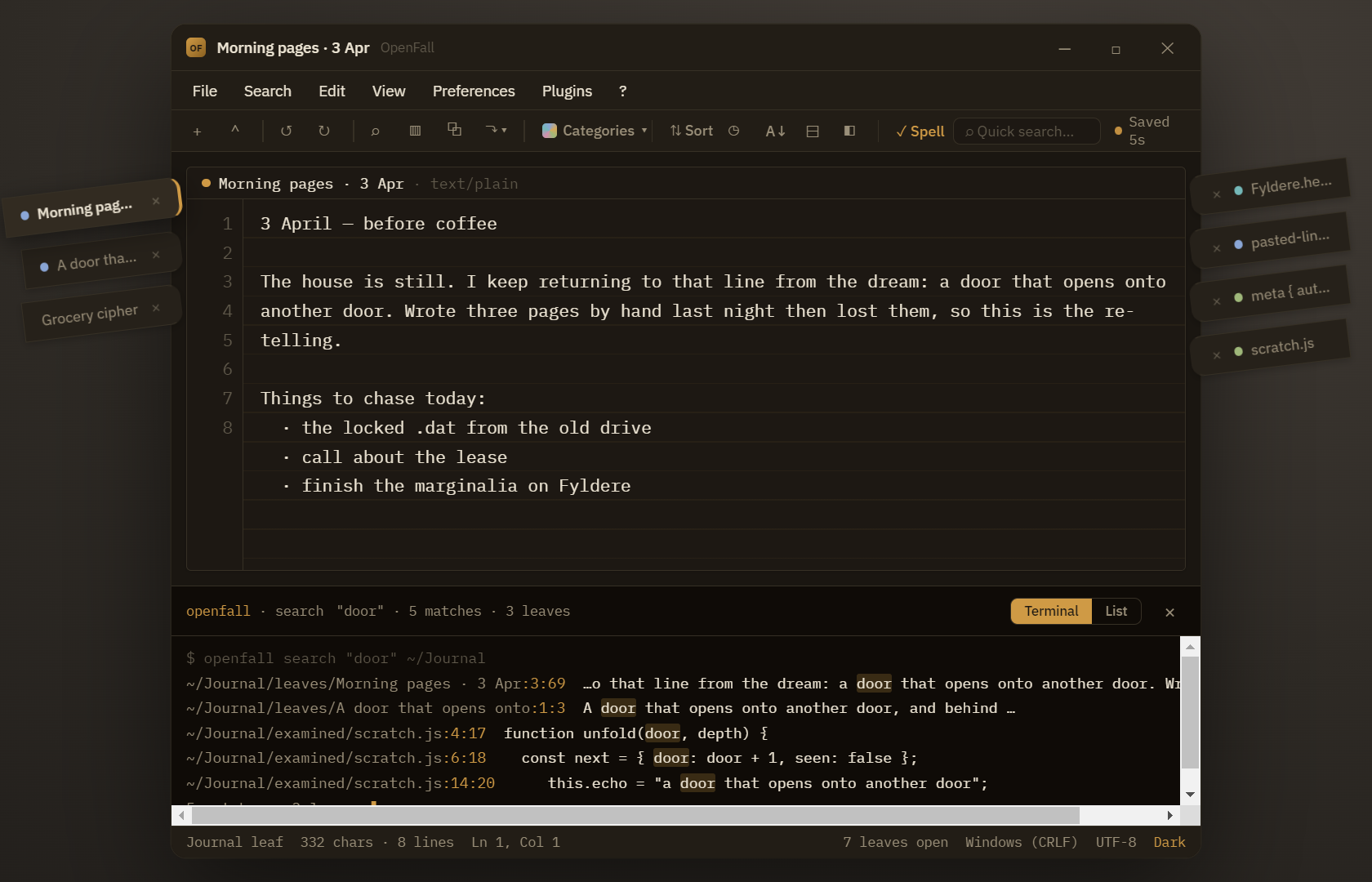
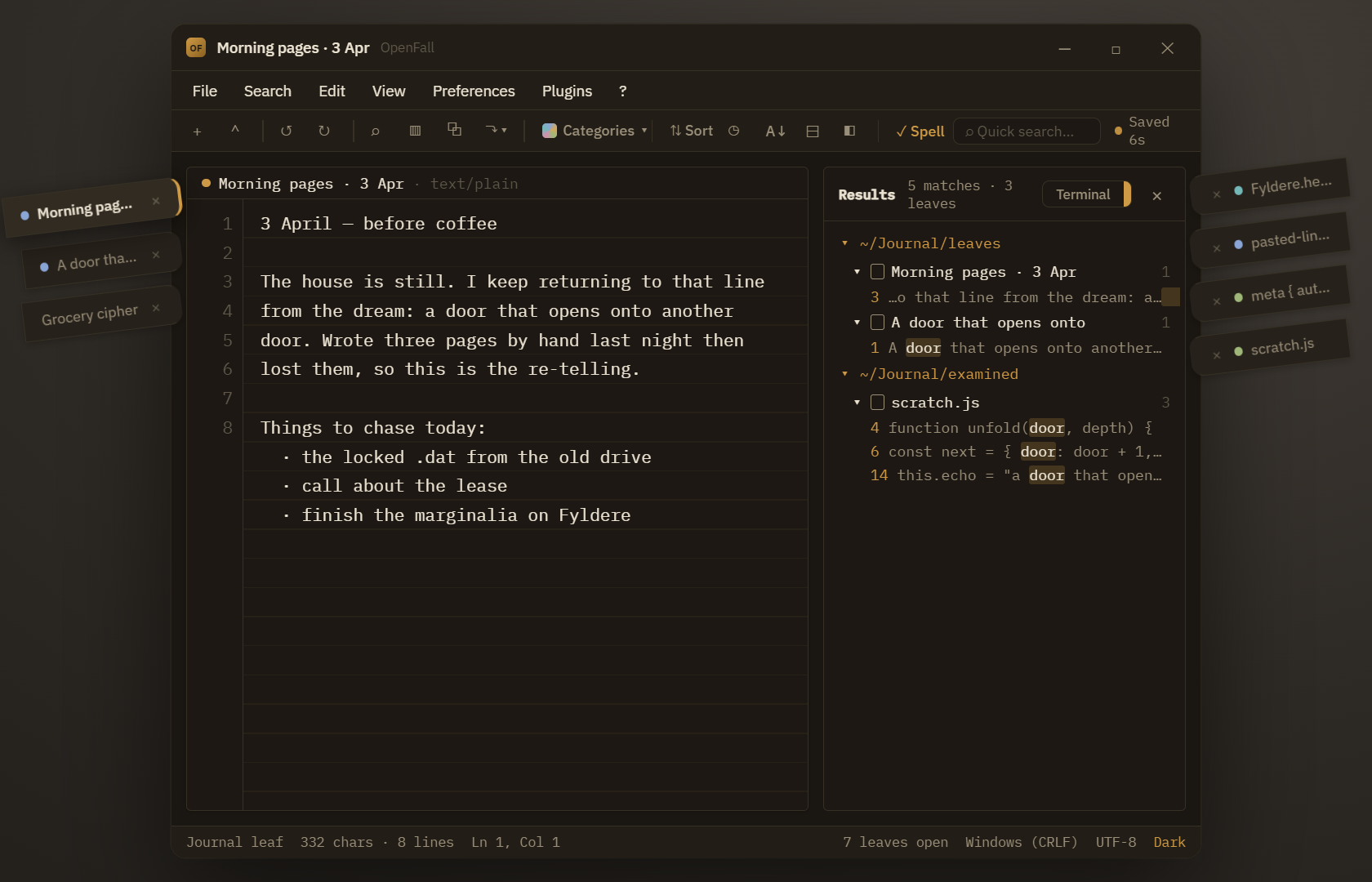
…or a vertical List tree grouped by folder, leaf, and match. Similar to how one would navigate a HTML tree.
It’s like searches greatest hits, I know I’d buy that album…Well, listen to it on YouTube Music at least. Once or twice.
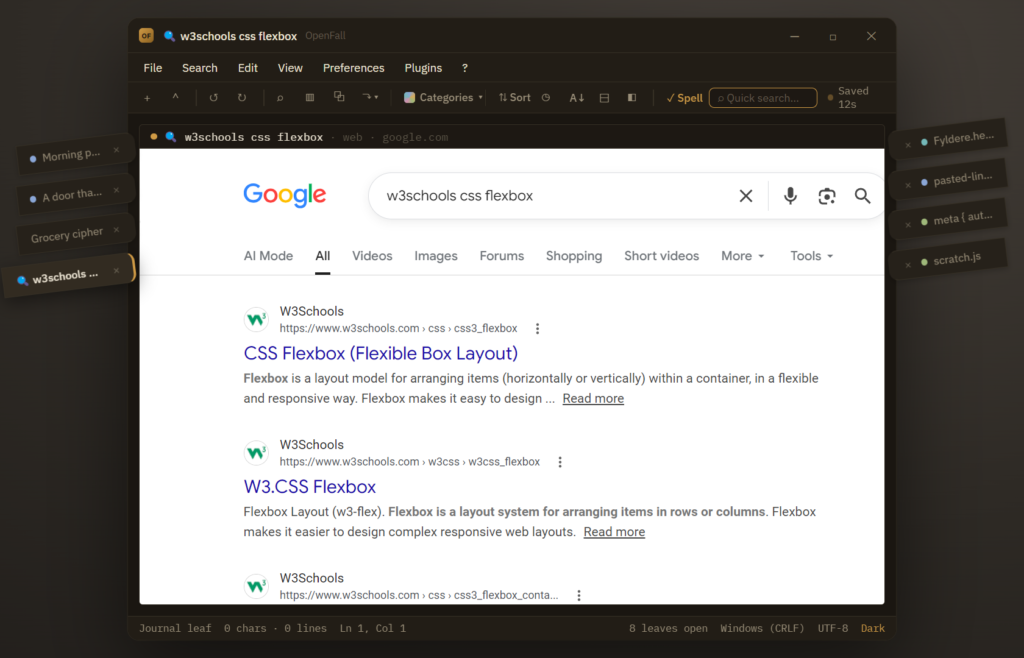
Speaking of searches. I built in one last type of search. A Web Search. It’s a very basic one that is also sandboxed. It opens it’s own leaf. One walled off from searching your own notes, so a quick lookup can sit right beside what you are writing. I primarily intended for this search to used for quick look ups, w3 schools, Stack Overflow, Thesarus.com, etc. Things that it’s really not worth mousing out of the app for and loosing your focus. While the screenshot shows off Google, you actually have a choice between Google, Bing, Duckduckgo, and Yahoo. (Did you know Yahoo was still around? I was shocked myself!)
I also mentioned earlier how I didn’t throw convention to the wind. I’ve built a dual-color GUI. Dark Mode, the Default, and a Light Mode, the alternate. Switching is a simple as clicking the word in the lower right corner. These colors are more than for taste. Some people genuinely have eyes that see easier for longer when working in one or the other color schemes, and Dark Mode is better for a laptops battery.
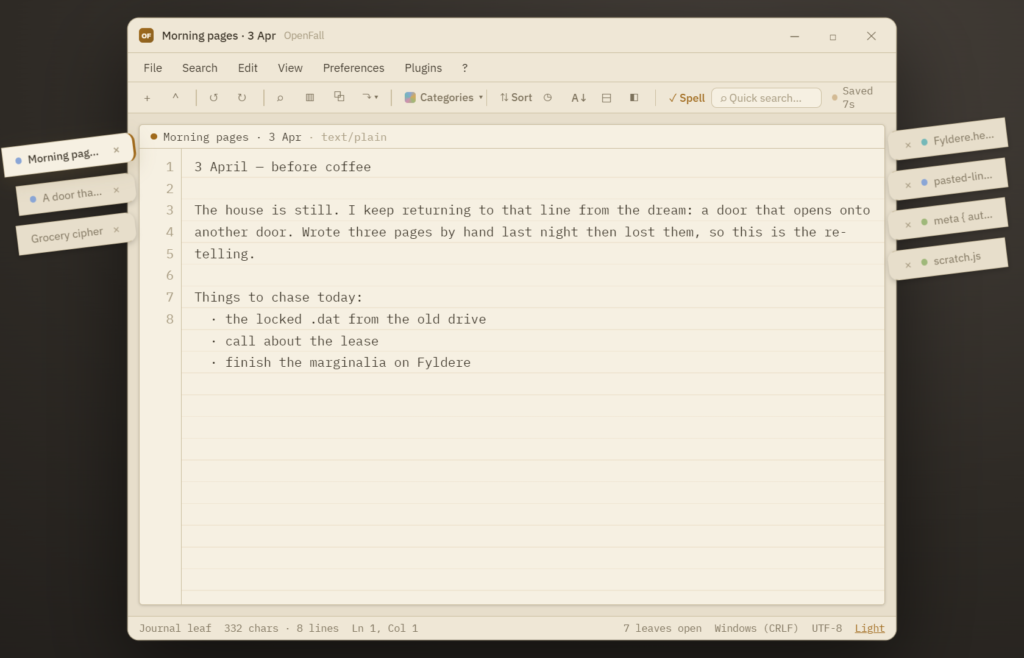
Is it done? No. Is it real and tested? Partially thanks to AI tools. Have I taken a nap since I pushed the alpha to Github this morning Yes. It is an alpha built by one person and the final stretch was enabled by AI. I’m not ashamed to say with my on-again, off-again allowed time allotment OpenFall would have taken another half year, maybe full year with debugging. So I made sure Claude got some credit and it will keep getting credit as I use it as a tool to back me up on my ongoing roadmap to Beta. A build that will features like stripped-down menus for leaves popped into their own windows, merging detached leaves together off the main OpenFall GUI, and SDK for plugins.
It runs on Windows, on Linux from source, and as a single self-contained HTML file that opens offline in any modern browser.
I suppose I’ll have to put a macOS client is on the roadmap as well too. It will be passive aggressive about it, get a real computer people!
Real talk though. Grab the Alpha, break the Alpha, tell me what broke in the Alpha. The repo and the v0.1.0-alpha download are both up on GitHub.
That’s because You’re awesome, and you’ll stay awesome.